
01Home screen
The Quran, between your apps
Ayah, prayer time and countdown widgets in every size. Match them to your wallpaper with themes and 30 fonts, so a verse is there each time you unlock your phone.
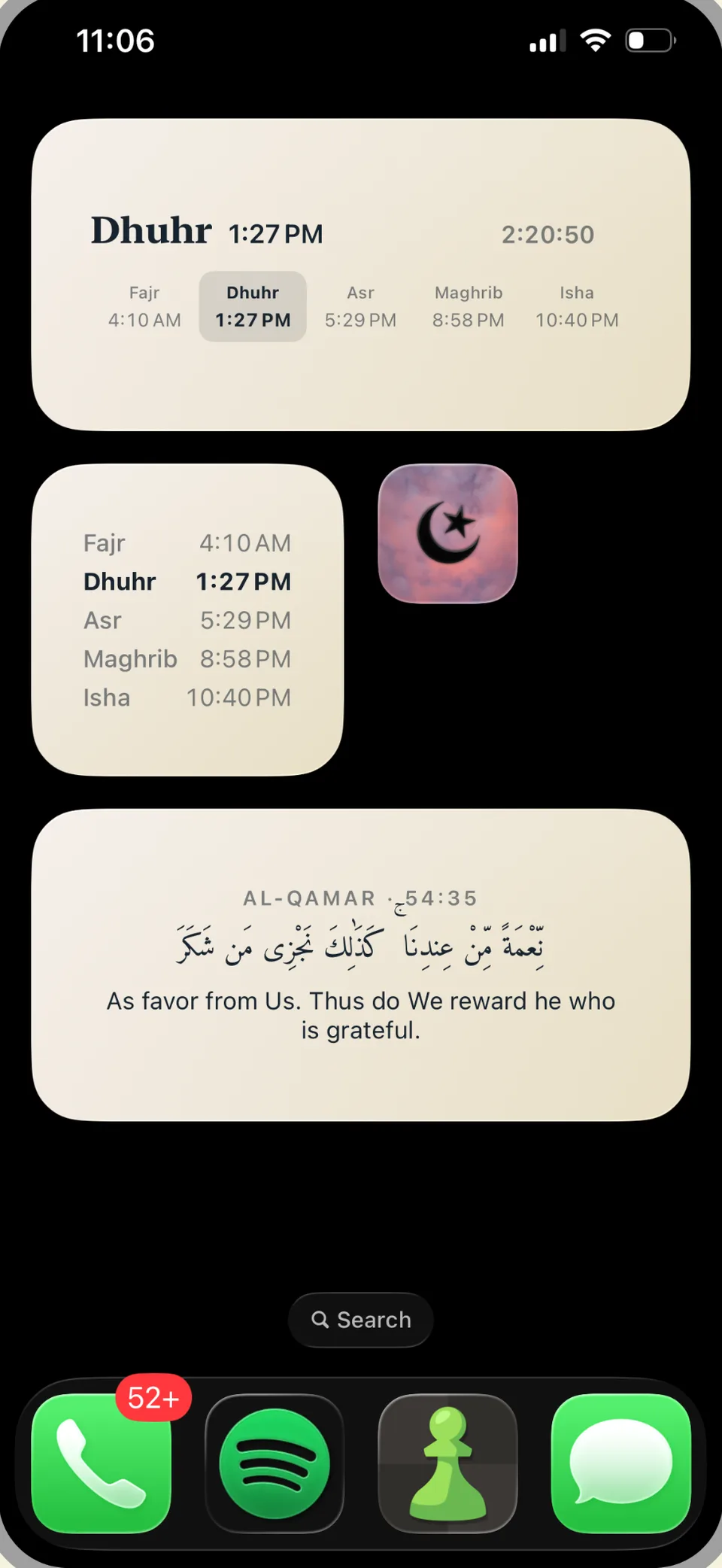
Quran Tiles puts ayat, hadith and prayer times on your home screen and lock screen, with a Quran reader, duas, dhikr, a salah tracker and Qibla finder.
Features
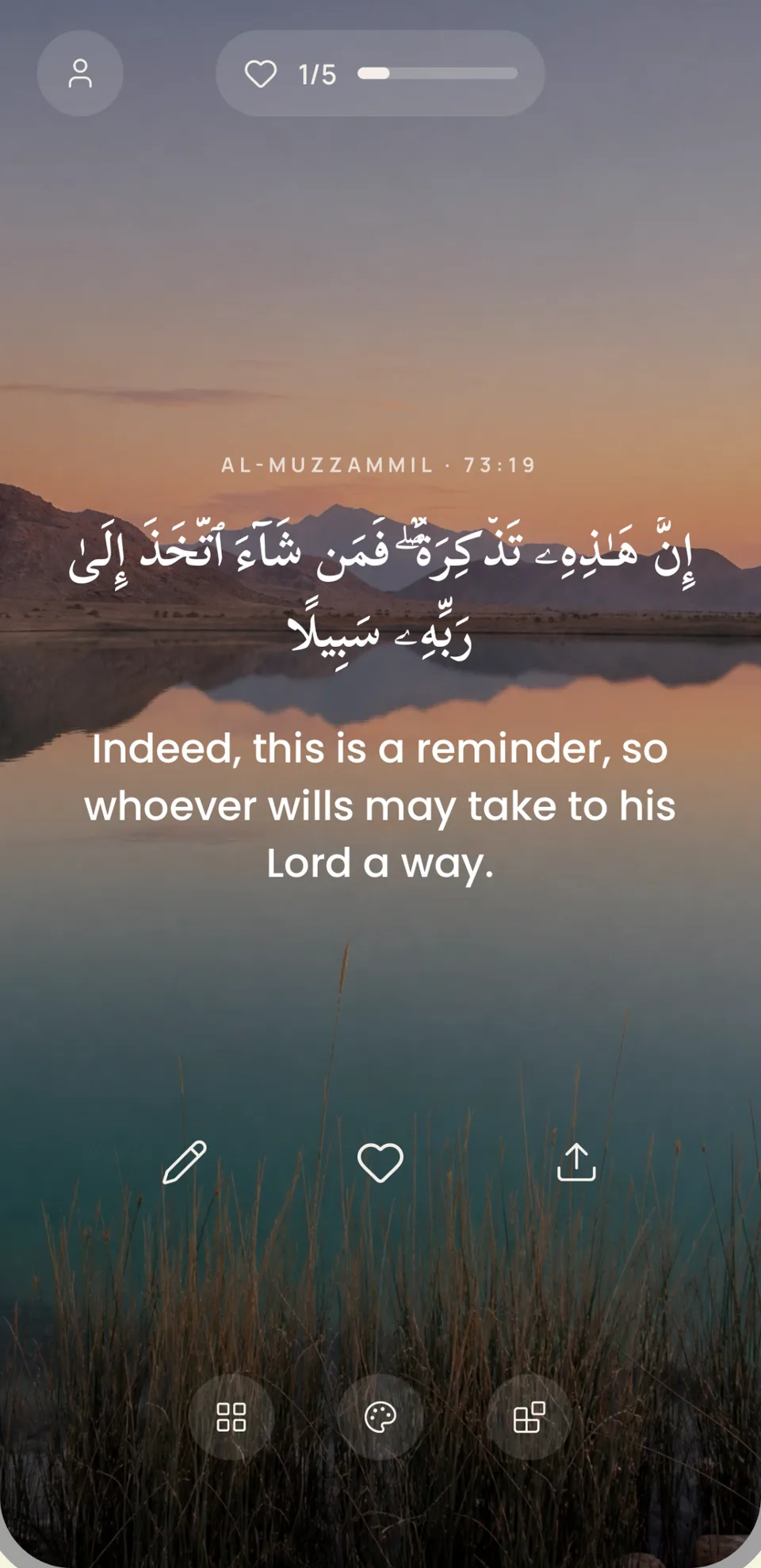
Everything in Quran Tiles is built to bring you back to Allah’s words for a moment, without getting in the way.
01Home screen
Ayah, prayer time and countdown widgets in every size. Match them to your wallpaper with themes and 30 fonts, so a verse is there each time you unlock your phone.
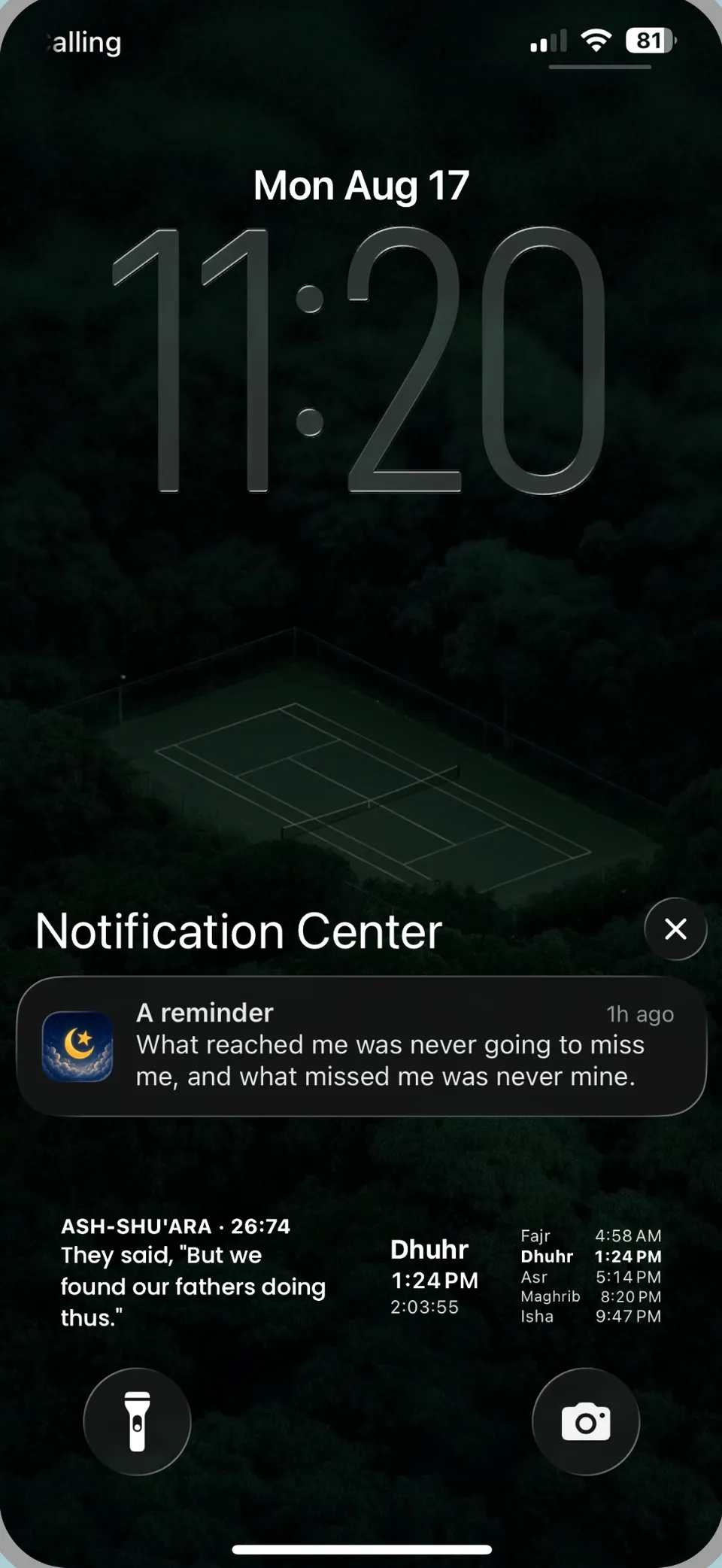
02Lock screen
Lock screen widgets show an ayah and the next salah at a glance, and gentle reminders bring a verse or hadith to you through the day.
03Quran reader
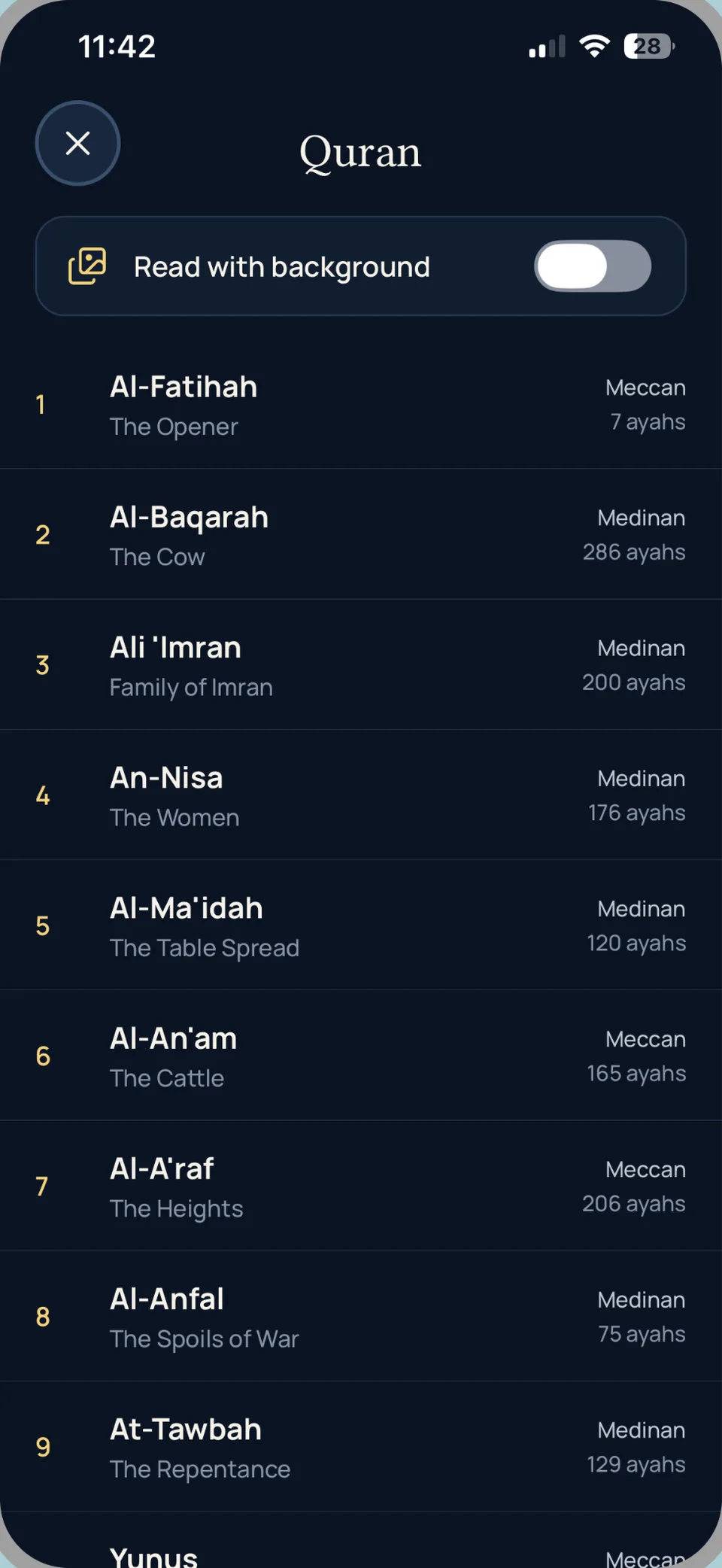
All 114 surahs in Arabic with translation. Search surahs, bookmark where you stopped, copy or share any ayah, and read over a calm background if you like.
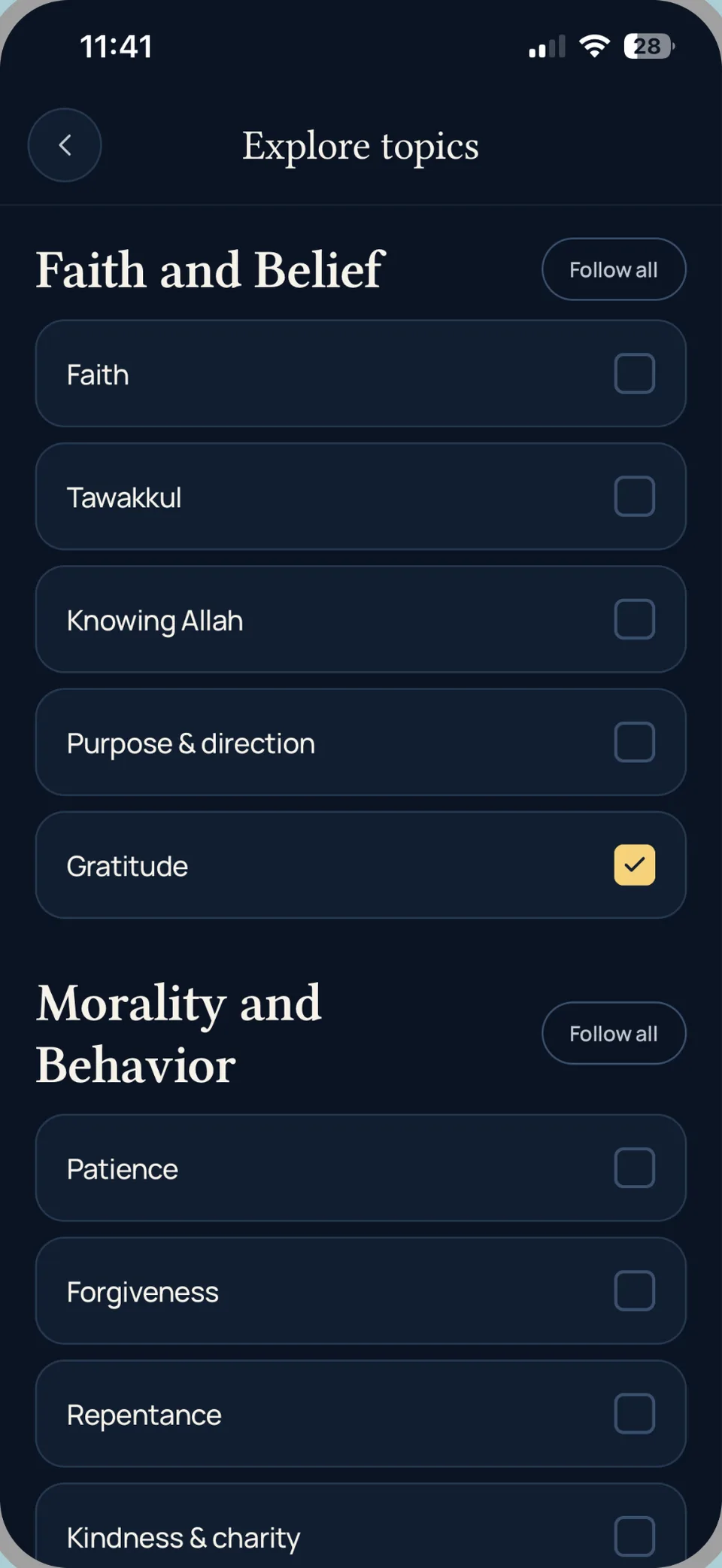
04Your feed
Follow topics like tawakkul, patience, gratitude and forgiveness, and your feed fills with ayat, hadith and duas that speak to where you are.
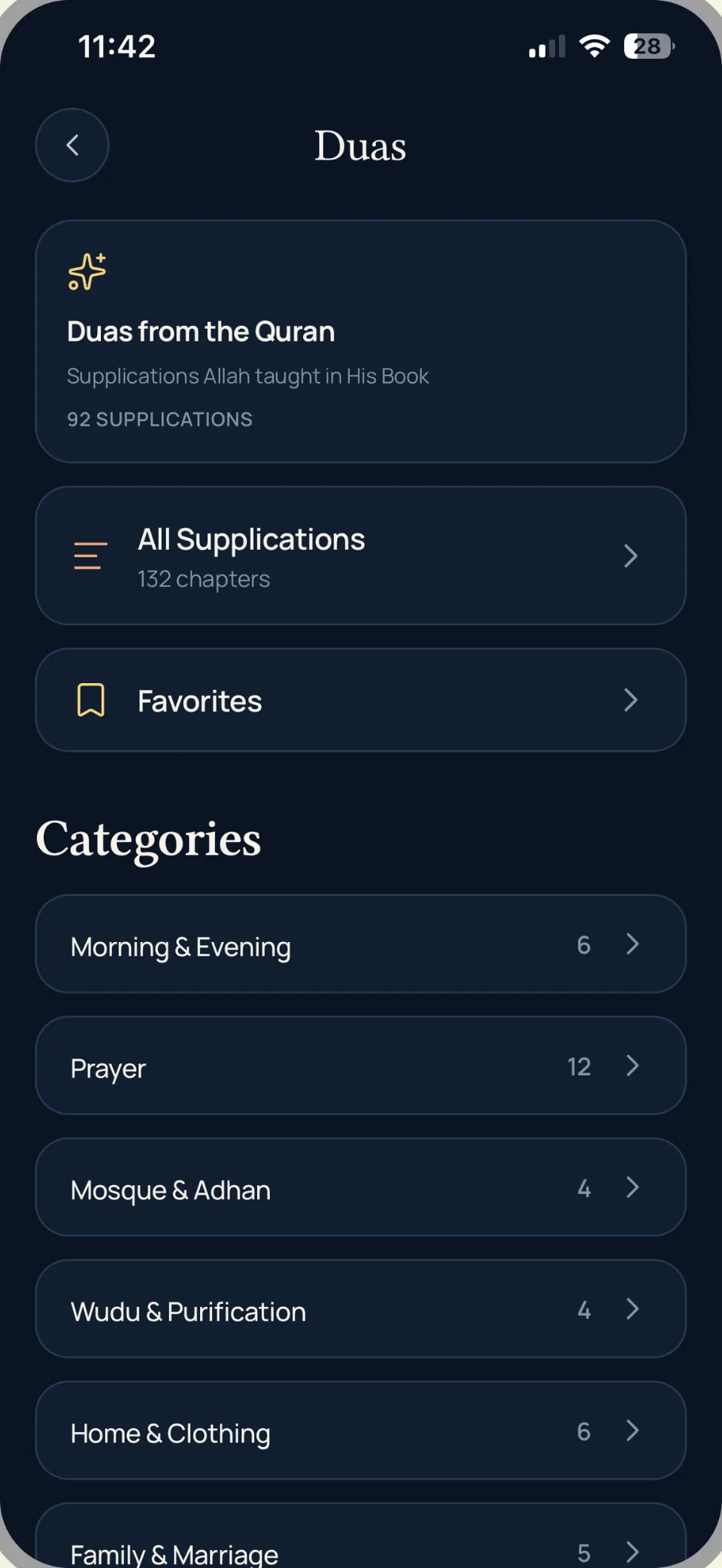
05Duas
92 supplications from the Quran and 132 chapters of everyday duas, from morning and evening to travel, family and the masjid. Save the ones you return to.
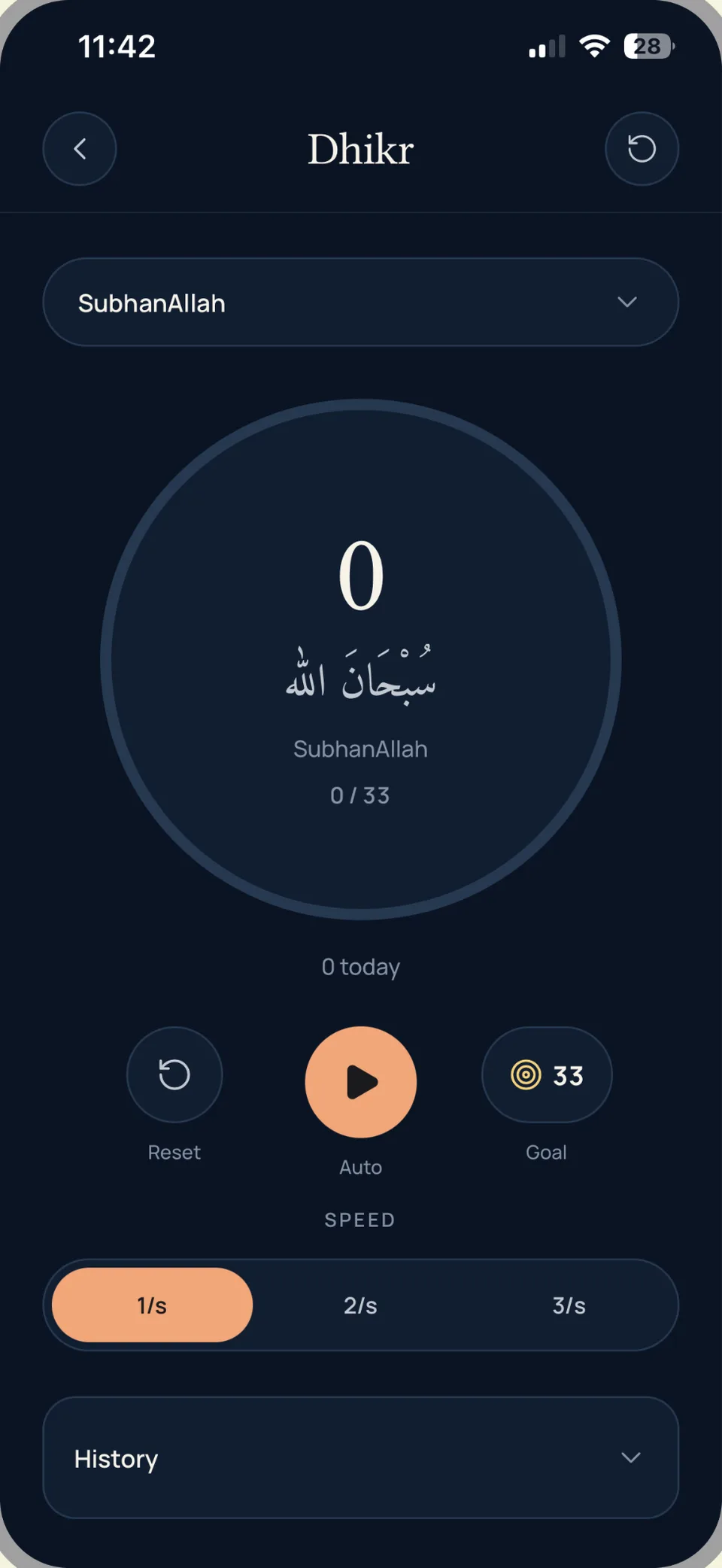
06Dhikr
Tap or let it count for you, set a goal of 33 or your own, and look back over your history day by day.
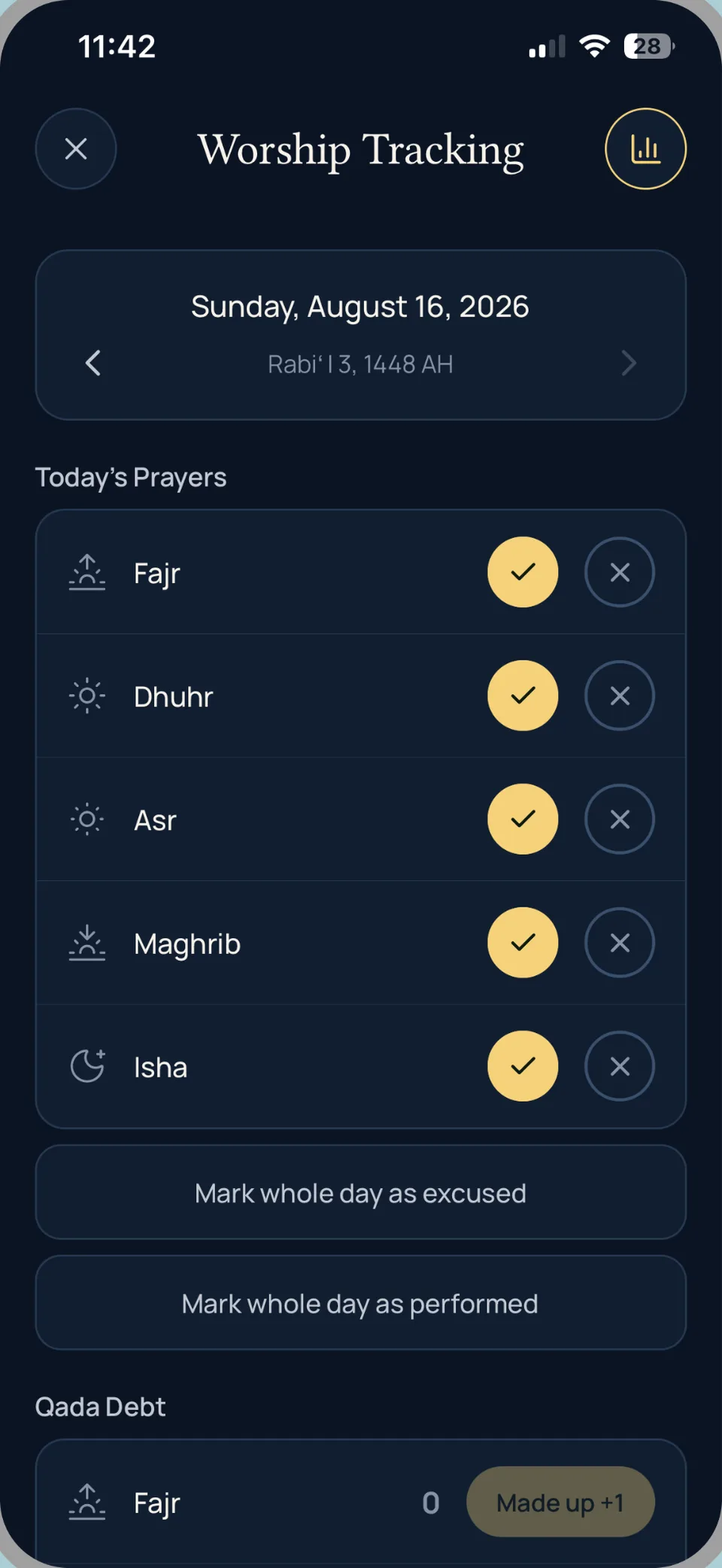
07Salah tracker
Mark each of the five prayers, log excused days, and keep an honest record of qada so nothing you owe is forgotten.
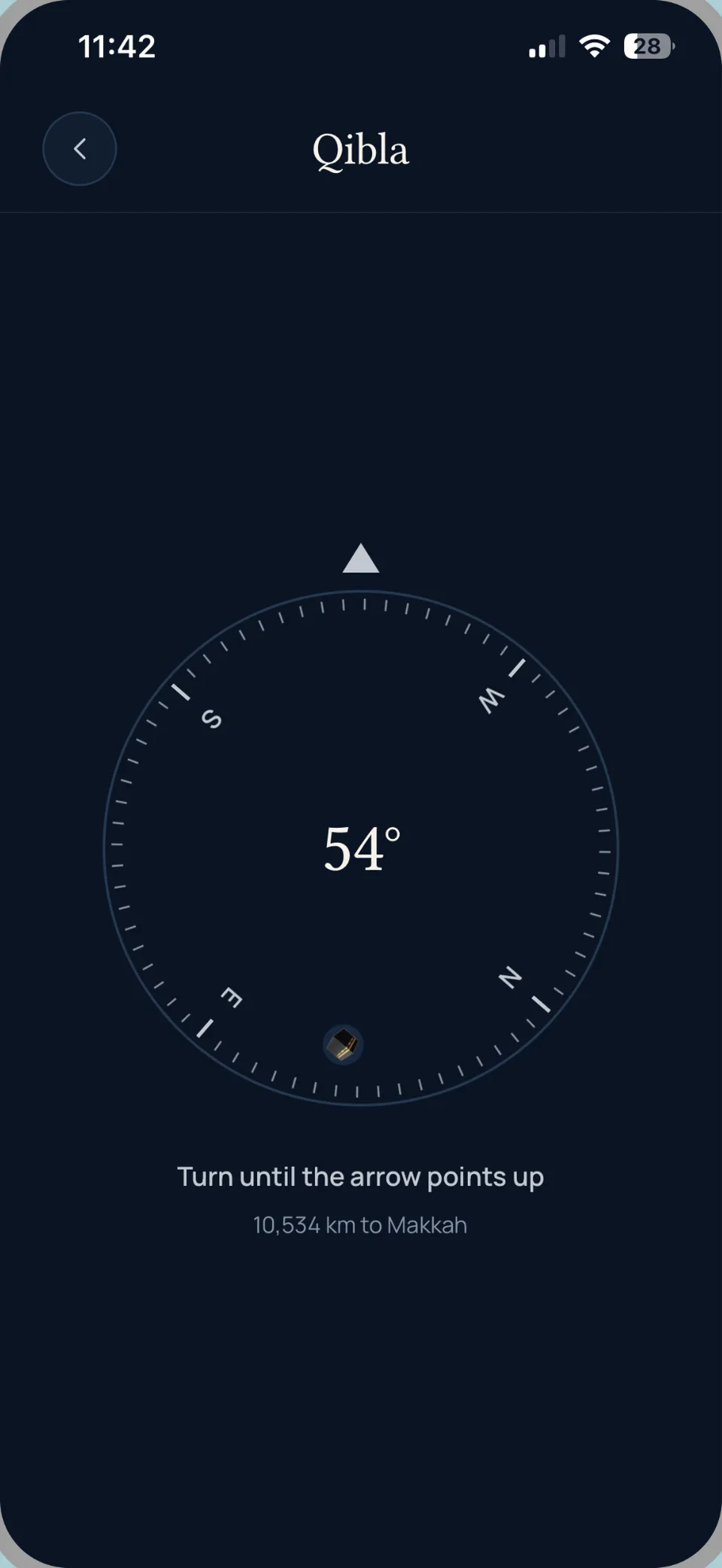
08Qibla
A simple compass that points you toward the Kaaba and tells you how far you are from Makkah. It works out the direction on your phone.
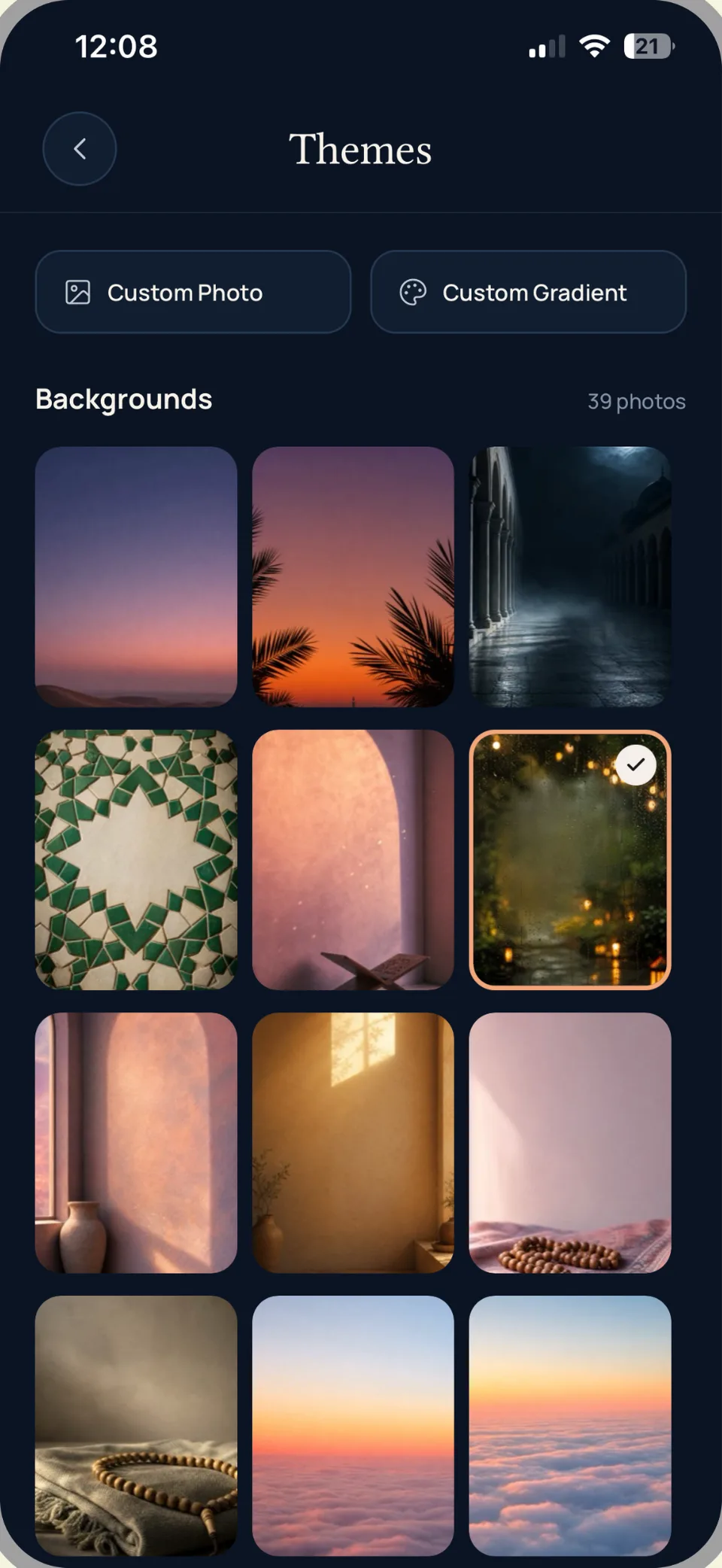
09Themes
39 backgrounds, from zellige and courtyards to desert skies, or use your own photo or colours. Twelve app icons to match.
Reviews
This is one of the best Quran and prayer apps I’ve used. The Quran widget is a beautiful reminder throughout the day and the daily verses are inspiring and easy to reflect on. The prayer features are very simple, reliable and thoughtfully designed. You can tell a lot of care and effort went into creating this app. I highly recommend it to anyone looking for a clean, meaningful app to help stay connected with the Quran and their daily prayers.
This Quran widgets app is genuinely phenomenal. It makes staying connected to the Quran throughout the day effortless and meaningful. The design is clean, intuitive, and beautifully integrates into daily phone use without feeling intrusive. I especially appreciate how accessible the verses are—it’s a constant reminder that brings peace and reflection in even the busiest moments. The customization options are smooth, and everything runs flawlessly. Easily one of the most impactful apps I’ve used—highly recommended for anyone looking to keep the Quran close at all times.
FAQ
Can’t find your answer? Send us a message below.
On iPhone, touch and hold an empty part of your home screen until the apps jiggle, tap Edit, then Add Widget. Search for Quran Tiles, choose a size, and tap Add Widget. On Android, touch and hold an empty part of your home screen, tap Widgets, find Quran Tiles and drag a widget into place, or use the Add button on the widget’s page in the app. You can change its theme and font from inside the app.
Lock screen widgets are on iPhone only; Android doesn’t support them. Touch and hold your lock screen, tap Customize, then Lock Screen. Tap the widget area under the clock and choose a Quran Tiles widget.
Prayer times are calculated from your location and a calculation method. Open prayer settings in the app to change the method and the Asr calculation, and check that location is allowed. Your local mosque timetable is always the final word.
Your phone decides how often widgets refresh. Opening Quran Tiles refreshes them straight away. If a widget still looks stuck, remove it and add it again. On Android, battery savers can also hold widgets back: setting Quran Tiles’ battery use to Unrestricted helps.
All widget themes and 30 fonts, all 12 app icons, unlimited feed topics, dhikr goals and history, and sharing without a watermark. The yearly plan starts with a 3-day free trial, and there is also a one-time lifetime option.
Sign in with the same Apple ID on iPhone, or the same Google account on Android, then open the Premium screen in Quran Tiles and tap Restore Purchases. Purchases don’t carry over between iPhone and Android.
On iPhone, open the Settings app, tap your name, then Subscriptions, choose Quran Tiles and tap Cancel Subscription. On Android, open the Google Play Store app, tap your profile picture, then Payments & subscriptions, then Subscriptions, choose Quran Tiles and tap Cancel subscription. Cancel at least 24 hours before your trial or period ends to avoid being charged.
There are no accounts. Your favourites, bookmarks, tracker and settings stay on your phone, and your location is only used on the phone for prayer times and Qibla. We collect anonymous usage analytics to improve the app. The full details are in our Privacy Policy, and you can reach us at support@qurantiles.app.
Feedback
Found a bug, or have an idea? Every message is read, and many of the features in the app started as a request like yours.
Or email support@qurantiles.app